What is a biometric document?
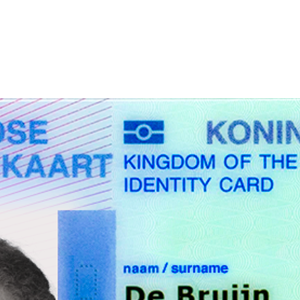
A biometric passport or ID card contains a secure chip holding personal information and a facial image. The chip can be read wirelessly using NFC.
Recognize the document
Look for the international biometric chip symbol to identify compatible documents. It’s usually found on the front cover of passports and may also appear on ID cards.
The chip is typically embedded in the passport’s front or back cover, or its data page, and is powered by your phone when held against it.
What the chip contains
An electronic passport stores the identity details from its machine-readable zone, including the holder’s name, nationality, date of birth, document number and expiry date. It also stores a digital facial image and the information needed to verify the issuer’s signature.
The digital portrait gives a verification service a reference image directly from the issuer. Some documents also contain fingerprints or other biometrics, with additional access restrictions. Which data can be read depends on the document and the reader’s authorization.
National ID cards vary more widely. A card may offer a travel-document application, a separate electronic identification function, or both. The application and its access requirements determine how a service can use it.
ICAO guidance on document readers and biometric accessWhy the visual scan is needed
The visual scan reads the machine-readable zone (MRZ), the lines of characters on the document. It supplies the access information needed to read the protected identity data over NFC.
The reader joins three fields in this order, each including its check digit:
- Document number.
- Date of birth.
- Expiry date.
Dates use the MRZ format YYMMDD. The fields are taken as printed, including any filler characters. This combined information is the basis for the MRZ access key.
Scanning captures these details automatically; they can also be entered manually. The scan provides access information, while the cryptographic checks establish the data’s authenticity.
How access is protected
Basic Access Control (BAC) hashes the combined MRZ information with SHA-1 and uses part of that hash as a seed to derive encryption and authentication keys. The reader and chip use these keys in a challenge-response exchange, then derive session keys for encrypted communication, called secure messaging.
Password Authenticated Connection Establishment (PACE) uses the MRZ-derived password, or a printed card access number (CAN) where supported, to protect a key agreement. The reader and chip establish fresh, strong session keys for secure messaging, with greater resistance to attacks on the access password than BAC.
The document advertises the protocols it supports. The reader uses the applicable protocol to establish a protected session before retrieving identity data.
ICAO Doc 9303, Part 11: access control and MRZ key derivationBSI technical guidance on document accessVerify the information
Signature verification checks that the chip’s identity data was signed by the issuing authority and has remained intact. In electronic passports, this is called passive authentication. The reader checks the signed data against the issuer’s certificates.
Active Authentication (AA) asks the chip to sign a fresh challenge with its private key. The reader verifies the response using the corresponding public key, authenticated through the issuer-signed chip data. This provides evidence that the chip holds the original key.
Chip Authentication (CA) uses key agreement with a private key held by the chip. Successful secure communication with the resulting keys demonstrates possession of that key and establishes new keys for secure messaging.
PACE with Chip Authentication Mapping (PACE-CAM) incorporates chip authentication into the PACE exchange. It combines password-based access protection with evidence of the chip’s authenticity in one protocol.
AA, CA and PACE-CAM provide additional protection against cloned chip data. Their availability depends on the document. The corresponding public keys must be authenticated against the issuer-signed data as part of verification.
CA and PACE-CAM also use temporary private keys generated by the reader. These keys must be generated securely and protected in memory and in any storage for as long as they are needed to establish the authentication outcome. Exposure during the exchange can compromise session security and undermine the reliability of the chip-authentication result.
ICAO explanation of ePassport validationThe trust model
Trust starts with the authority that issued the document. For an electronic passport, the issuing country maintains a Country Signing Certification Authority (CSCA). It certifies the document-signing keys used to sign passport data.
The verifier follows this chain from the signed chip data, through the document signer’s certificate, to a trusted country certificate. That country certificate is the trust anchor, the independently established starting point for verification.
Verifiers obtain trust anchors through authenticated exchanges or trusted certificate collections. A signed master list is one way to distribute a collection of country certificates. Trust in that list depends on authenticating its signer and accepting that signer as a source for those certificates. Different organizations can publish master lists, and a verifier may combine several sources under its trust policy.
This chain connects the data to a recognized issuing authority. The authority’s identity checks at issuance provide the foundation for relying on the personal details. National ID cards can use similar certificate chains, with trust arrangements specific to their issuing scheme.
The verifier maintains its accepted trust anchors as certificates and issuing keys change. Its trust policy determines which authorities and certificate sources it relies on.
Connecting the document to its holder
The chip establishes a trusted source for identity details and a portrait. To confirm who is presenting the document remotely, a service can compare that portrait with a live selfie and check that the person is physically present.
These checks answer separate questions. Document verification establishes the origin and integrity of the identity data. Face matching connects the portrait to the person, while liveness detection checks their presence during the session.
Reading a document with your phone
Use an NFC-capable phone and follow the app’s positioning instructions. Hold the phone steadily against the document until reading completes. The best position varies with the phone’s antenna and the location of the document’s chip.
If reading is interrupted, try moving the phone slowly to find the chip, then hold it still. Keep other contactless cards away from the phone while reading. If the app cannot establish access, check that the scanned document details are correct.
Test your document
Read the chip in your passport or ID card using the Biometric Passport Reader app, available for free on the App Store and Google Play.

